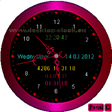
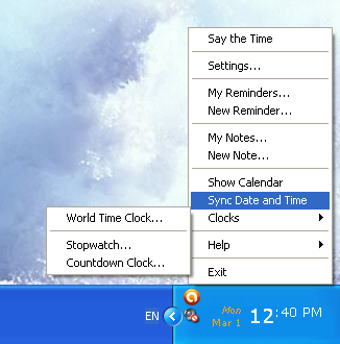
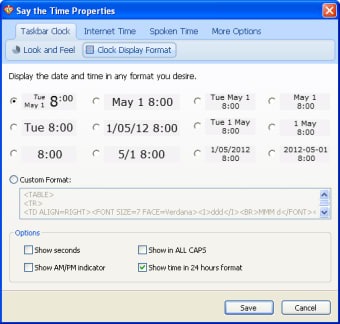
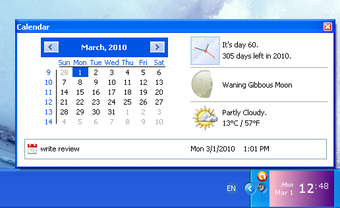
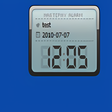
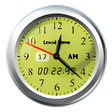
Say the Time is a cheerful and useful app that will help you keep tabs on the time and your to-do list. The program pretty much configures itself and is ready to use as soon as you install it. Of course, it has a great selection of configuration options so that the time will be displayed and spoken exactly how you like - 12 hour, 24 hour or even military time are all OK!
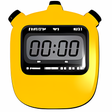
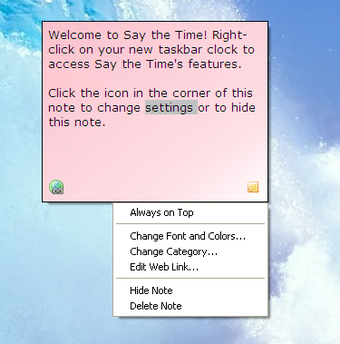
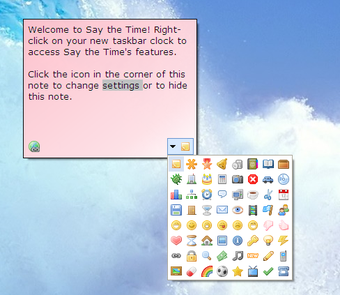
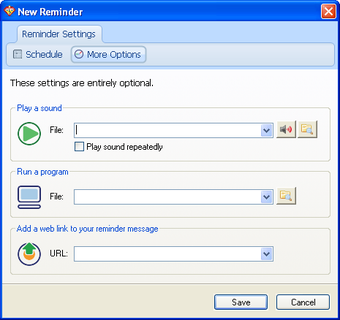
Say the Time doesn't just tell the time, however. It's also a sticky-note app and reminder program. Both of these features are just as configurable as the clock function, and as if all this wasn't enough, Say the Time also offers a stop watch and countdown timer. It's a very complete app and an excellent addition to any desktop.
Say the Time is a bright and useful app for people who want to hear the time, not just see it!
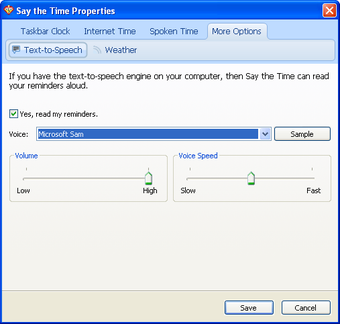
Checking the time can get boring sometimes, but it´s never dull when this program is around. Say the Time will keep you on schedule by automatically announcing the date, time or both at specified intervals using a pleasant male or female voice.
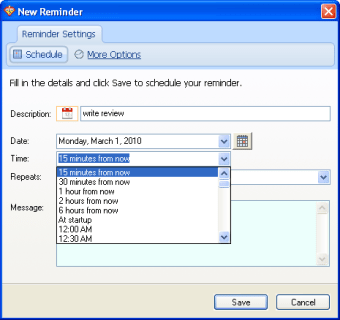
You can keep track of important time commitments with fully-customizable appointment reminders, and can keep the date and time displayed at all times for references purposes. Ideal for children who are learning to tell the time, too.
Features of the program include:
Enjoy spoken date and time announcements in a pleasant female or male voice.
Choose your preferred interval, anywhere from every five minutes to every hour.
Specify a time period for which to suspend time announcements - especially useful if you keep your computer on all night.
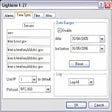
Create Fully-Customizable Appointment Reminders
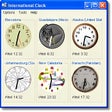
Customize Your Taskbar Clock
Synchronize Your Computer's Clock with an Internet Time Server
Zero customer support, has Windows 10 issues, surprised CNET hasn't removed it from software lists.
Anonymous user
Worst tech support in the software world. Sooner or later you will need tech support for this product. Unfortunately, your chances of getting such help are next to nil, since Provenio treats its customers abusively. They have the worst tech support I have experienced in 30 years as a PC user. Pros: Product is well designed Cons: A search tool
Anonymous user
NOT a company you'll want to deal with. Nothing wrong with the product, although $30 is a steep price to pay for a task-bar clock. However, as another reviewer has noted here, you''ll have to pay that amount again and again if you want to Say the Time running, since Provenio does not support previous versions nor make them available for download onto new PCs.In the event that you encounter technical difficulties, including the notorious 'missing stth64.dll driver', you can forget about getting help from the company, since they have made themselves quite impossible to reach by phone (the number they list is a phony) and almost as difficult to contact via email. Even if they should actually respond to your email plea for help after a month or two, if the fix they suggest doesn't work, you'll wait another month or two, or perhaps even indefinitely, before you hear from them again. Pros: Visual interface is simple and easy Cons: Some bugs. Pricey. Incredibly bad tech support.
Anonymous user
Useful product, but VERY pricey, zero support and shady business practices. The upgrade policy is a ripoff for the reasons the developer has noted elsewhere on this page. Also, you should think twice about doing business with any company that absolutely refuses to talk to its customers. The phone number Provenio provides for itself is bogus, and they will not answer your e-mail queries. All of this is unfortunate because the product itself is quite useful.
Anonymous user
Not worth upgrade.. I am a developer and I believe in paying for software that I use. But charging $30 for an upgrade to version 11 is ridiculous when version 9 does every thing I need.I had the same problem of the new computer and not wanting to pay for version 11 and solved it this way:1. Copy the Say the Time folder from Program Files on the old computer to the new one2. Copy the registry information (search for saytime) and merged it to the registry on the new computer.3. Copied my serial number from the old computer (Help->About Say the Time)4. Run SayTime.exe on new computer5. Unlock and Activate & enter the username and serial number.Done! Pros: Nice functionality. - Love the flexibility of formatting the clock- I have the announcement feature running after normal work hours to keep me from getting too absorbed and working through the evening.- I also like the reminders, much easier than setting up something on my calendar in Outlook.- the stopwatch and countdown clocks are often useful as well. Cons: Too expensive - especially for upgrades.
Anonymous user
An overpriced, mediocre product from a disreuptable seller. Do not buy this product! it is mediocre, overpriced, and the seller is disreputable. I bought version 9 but could not move it to a new pc because it is no longer available for download -- not anywhere. They offered me version 10 for $20, but the application is not worth half that. I say they are disreputable because they have made it impossible to contact someone by phone to hash out problems. If you have any support issues, which you will, you will be sol, since their e-mail tech support -- one person named amy, apparently -- takes weeks to get back to you if she bothers to respond at all.One more thing: the announce feature is actually an annoyance. Who wants a robotic voice announcing the time when you can see it perfectly well in this applications task bar display? Pros: Good task-bar display of time, easy access to global times Cons: Overpriced, unsupported, announce feature is more annoyance than convenience.
Laws concerning the use of this software vary from country to country. We do not encourage or condone the use of this program if it is in violation of these laws. Softonic may receive a referral fee if you click or buy any of the products featured here.